
FAQ / Collections / Commenting and adding notes to items
Commenting and adding notes to items
Adding comments
You can add comments to items in your a collection and the people you share collections with can too.
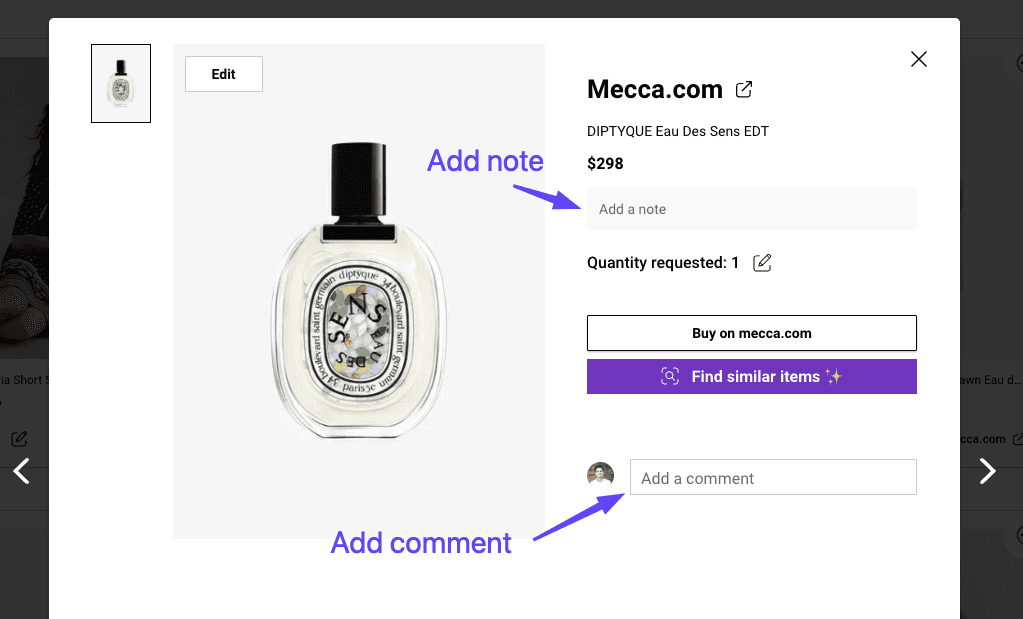
Click the image of any item in a collection
On desktop you will see the comment field to the right of the product image. On mobile it is at the bottom of the page.
People you share collections with will be able to read your comments and you will be notified if they leave comments on items in your collections.
More convenient ways to add notes
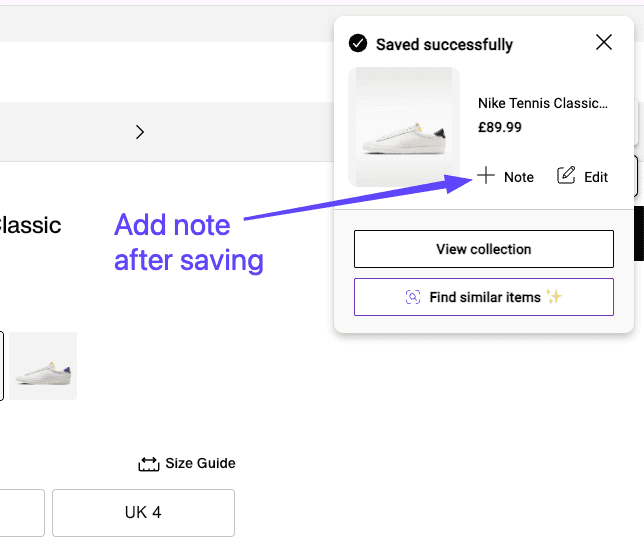
You will be given the option to add notes to an item straight after you save it. The example below is when saving from the browser extension, but you are also given this option after saving on mobile.
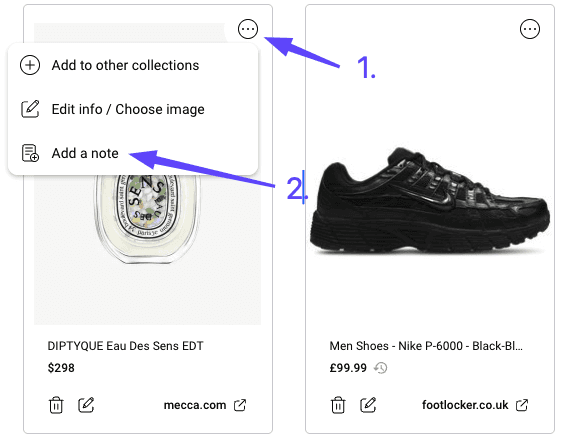
From the product tiles in your collections
Can’t find the question you’re looking for? Send us an email at hello@moonsift.com