How to track prices online: The ultimate guide to finding the best deals
Everything you need to know about price tracking tools, alerts, and hacks
Oct 29, 2025

There’s nothing worse than spending more on an item than you need to.
But with many retailers adjusting their prices on a regular (even daily!) basis, knowing when it’s the right time to press ‘buy’ can feel almost impossible.
Luckily, it doesn’t have to be this way.
In recent years, a plethora of online price trackers have cropped up to help consumers buy the best items at the best prices.
With features that can help users predict upcoming sales, spot price drops and find discounts, these tools have revolutionized the way millions of us shop every day.
At Moonsift, we’re all about helping our community make smart purchasing decisions, so we wanted to shed some light on these fantastic tools to help you save money every time you buy.
Read on to learn more about the basics of price tracking, how it works, and some of the best online price tracking tools you should try.
Online price tracking: the basics
If you’ve never tried online price tracking before, you might be wondering what it’s all about.
Essentially, price tracking is the process of monitoring the prices of a product or service, usually with the goal of finding the best deal.
Have you ever bought an item, only to see it being sold for less within your return window? Or waited to see whether a product goes down in price, only to see a price hike the very next day?
Online price tracking is about putting data in your hands to help you make the best purchasing decisions and buy when the time (and price) is right.
By looking at price history and patterns for an item you’re interested in, you can see where current prices sit to fully understand whether a deal really is as good as it sounds.
Plus, you can start to predict when an item might go down in price, so that you can benefit from an upcoming drop. For instance, if you know that an item usually drops in price on Black Friday, you can assume it will probably do the same this year.
Luckily, you don’t have to collect all this data manually. Instead, a real-time price tracking tool can do the heavy lifting for you and give you all the data you need to make an informed decision.
Which brings us onto…
How do online price trackers work?
An online price tracker will automatically track prices for you so that you don’t have to do the work manually.
In this way, it can save you time, save you money, and help you to make informed purchasing decisions that you won’t regret.
Price tracking tools come in lots of different shapes and sizes, from browser extensions to websites and mobile apps. As such, they boast a range of features.
Some that we found to be the most helpful in our research include:
Price history charts so you can spot patterns and pricing trends
Price drop alerts to notify you when the price reaches a figure you’re happy to pay
Wishlists or favorites so that you can get notifications for your favorite items
Product comparisons so you can compare prices and specs for similar items
Highlighted deals so you can stay informed about new bargains
Coupon finder so you can get extra discounts on items you’re buying
While you may find some features more useful than others depending on your shopping habits, all online price trackers share a common goal: to help you buy the items you need for less.
The 5 best online price tracking tools
We’ve carried out a ton of research into the best price tracking tools so that you don’t have to. Here’s our pick of the best.
1. Price.com – Best for cashback
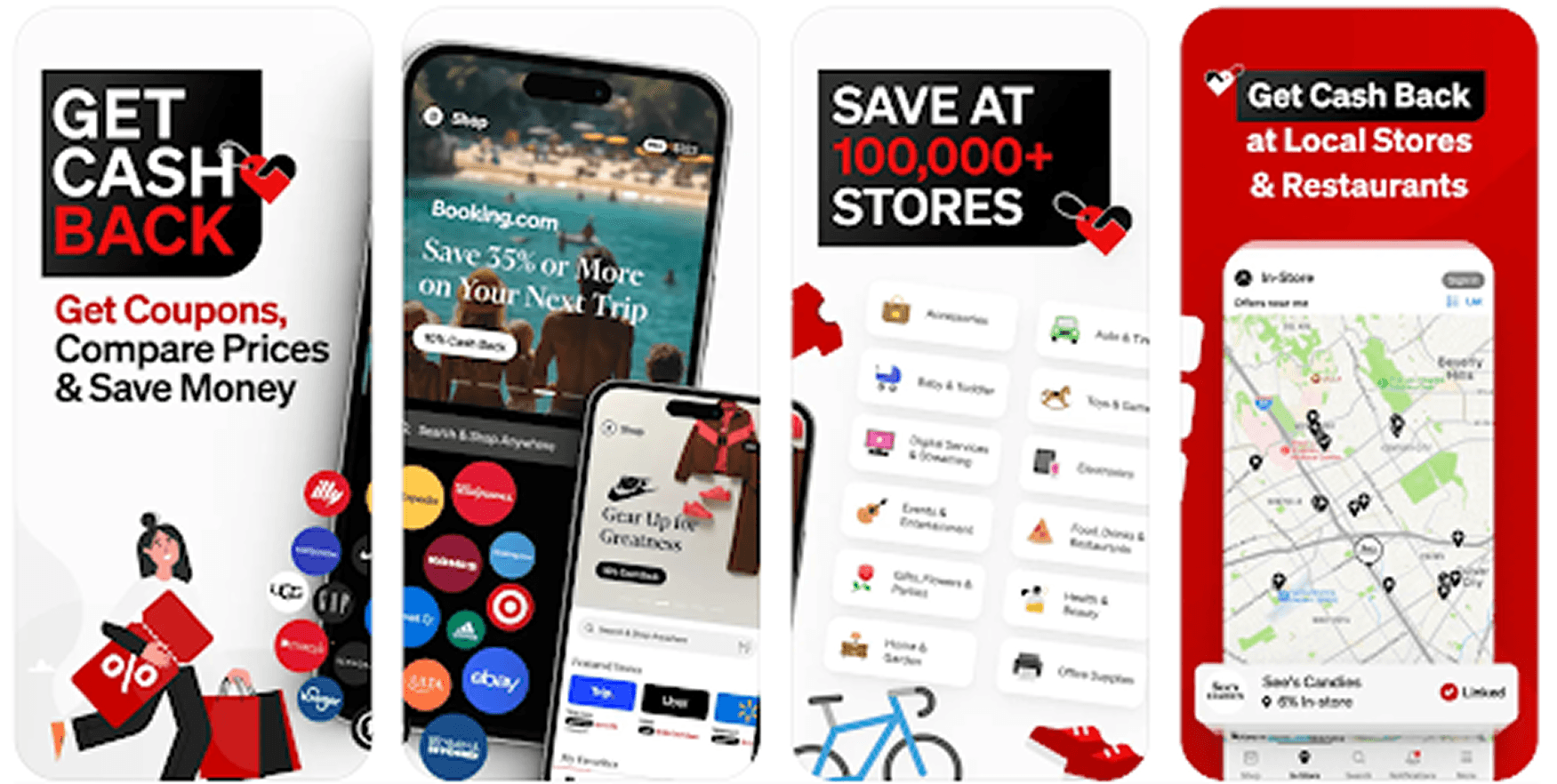
Price.com has to be one of our favorite money-saving tools.
When it comes to price tracking, it has price history charts for each item that you can use to monitor fluctuations over time.
You can also set up price alerts so that you’re notified when the price of an item drops to a figure that you’re comfortable with.
And some items even have price insights to give you extra information about pricing trends. For instance, you can see whether the current price is low, typical, or high compared to historical data.
But it’s the additional money-saving features that really make this app and browser extension a cut above the rest.
As well as helping you to uncover coupons for more than 100,000 stores, it even allows you to earn while shopping (both in-store and online!) thanks to its cashback feature.
You can get cashback on purchases ranging from fashion and everyday essentials to dining and hotels, making this platform a valuable part of your money-saving toolkit!
Just be aware that it can take a long time to receive your cash and this process isn’t always the easiest experience – but considering it’s the only app that offers cashback for many stores, we think it’s worth a few niggles!
“Everytime I ask for a cashout manually to pushed to my PayPal account they take 3-4 weeks to process it with continuous reminders. (4-5 emails)
“If you are looking for an easy cashout they aren’t the best experience.” – Reddit user
Available on
Mobile app (Android, iOS)
Website
Browser extension (Chrome)
Key features
Price history
Price alerts
Price insights
Cash back
Coupons
Barcode scanning
Image search
Link your Visa, MasterCard, or American Express card for in-person purchases
Pros
View in-depth price history for each item
Get price drop alerts when an item drops to a price you’ve set
Earn while you shop
Compare prices for over 100,000+ stores
Get cash back at local stores and restaurants
Find offers near you
Easy to use
Access from any device
Cons
Not fully universal (not every store participates)
Cashout is slow
Pricing
Free to download / $9.99 per month for Price.com Pro.
2. CamelCamelCamel – Best for Amazon price tracking
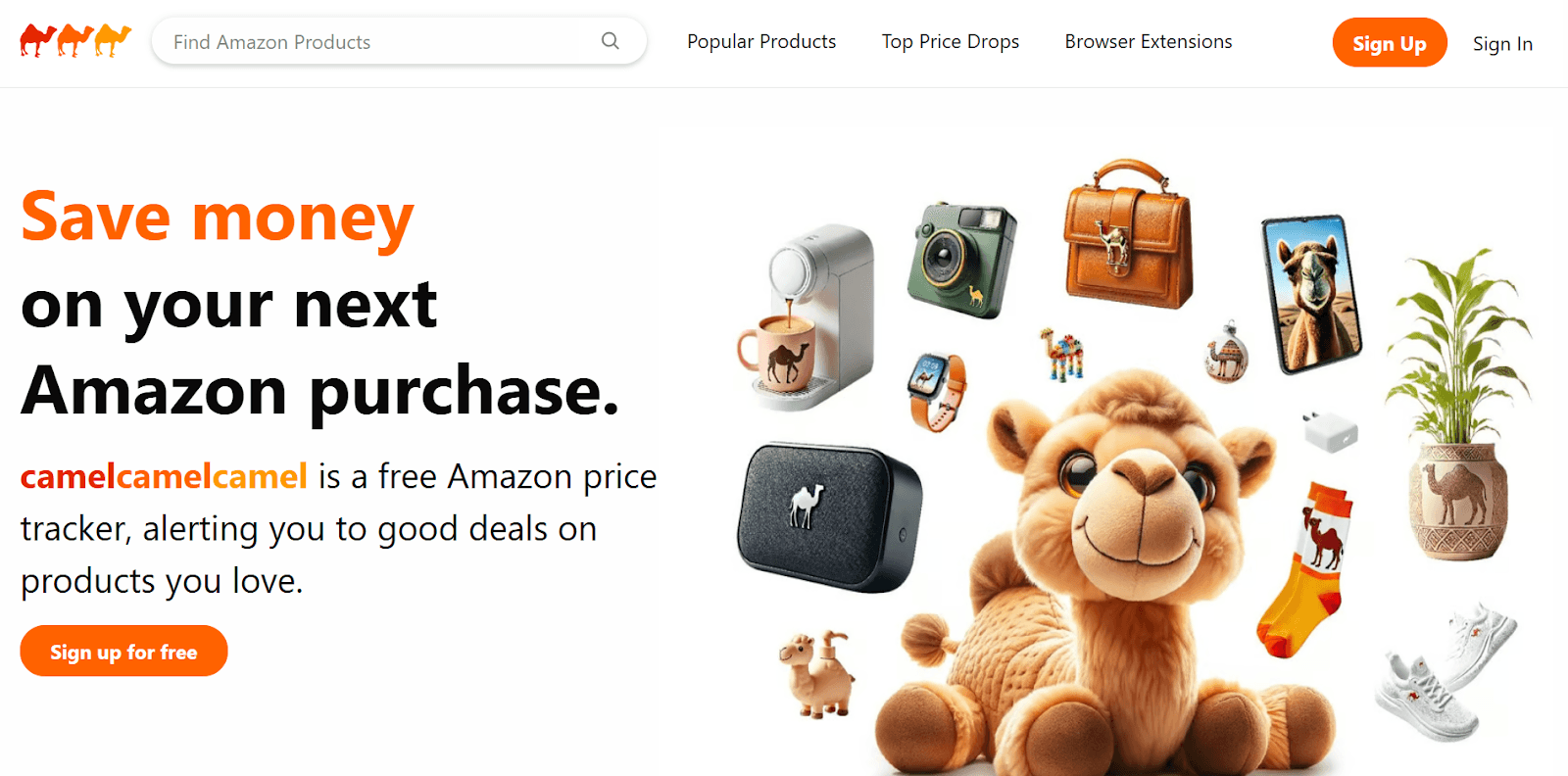
CamelCamelCamel is an Amazon price tracker, meaning it’s focused solely on helping users to track the prices of Amazon products.
However, if you do a lot of shopping on Amazon, this browser extension is one you should certainly have up your sleeve.
This free browser extension monitors the price of millions of Amazon products and will provide you with a price history chart for each item, along with its average list price.
In this way, it’s a fantastic tool for seeing where current prices sit and spotting pricing patterns that can help you predict an upcoming sale.
Plus, price drop alerts will mean you’ll get notified if an item you like drops in price, saving you from having to check back manually every day.
As well as these price tracking features, CamelCamelCamel is a handy way to uncover a bargain, as the tool will spotlight deals, popular products that are being purchased by other users, and even the most recent products to see big price drops.
The downside? If you don’t have much self-restraint, you might end up coming away with more than you bargained for!
It’s also worth noting that you may come across deals on CamelCamelCamel that aren’t necessarily from trusted sellers. So, always do your due diligence before spending your hard-earned cash.
“I received an e-mail when the games hit the price I entered (a price that wasn't obscenely low for two separate games that are several years old) and I immediately placed my order.
“However, I didn't realize that offering was from a brand new third-party seller/scammer. These sellers take forever to move on the product, then send you a fake tracking number (that constantly claims the item has "shipped" and is in "transit from seller to the carrier"). They give you an obscenely far off delivery date and, since the item has "shipped", they've taken your money and you can't just cancel your order.” – Reddit user
Available on
Website
Browser extension (Chrome, Microsoft Edge, Mozilla Firefox, Opera, Apple Safari)
Key features
Price history charts
Price drop alerts
Highlighted deals
Pros
View deals in categories you frequently track products in
View deals by daily, weekly, and most recent
See what other CamelCamelCamel users have been purchasing
View in-depth price history for each item
Get price drop alerts when an item drops to a price you’ve set
Available in multiple countries and languages
Easy to use
Access from any device
Cons
Highlighted deals won’t always be from trusted sellers
Deals may only apply for a specific color or version of an item you want
Only tracks Amazon (you may still be able to find the item for cheaper elsewhere)
Pricing
Free.
3. Keepa – Best for in-depth analysis
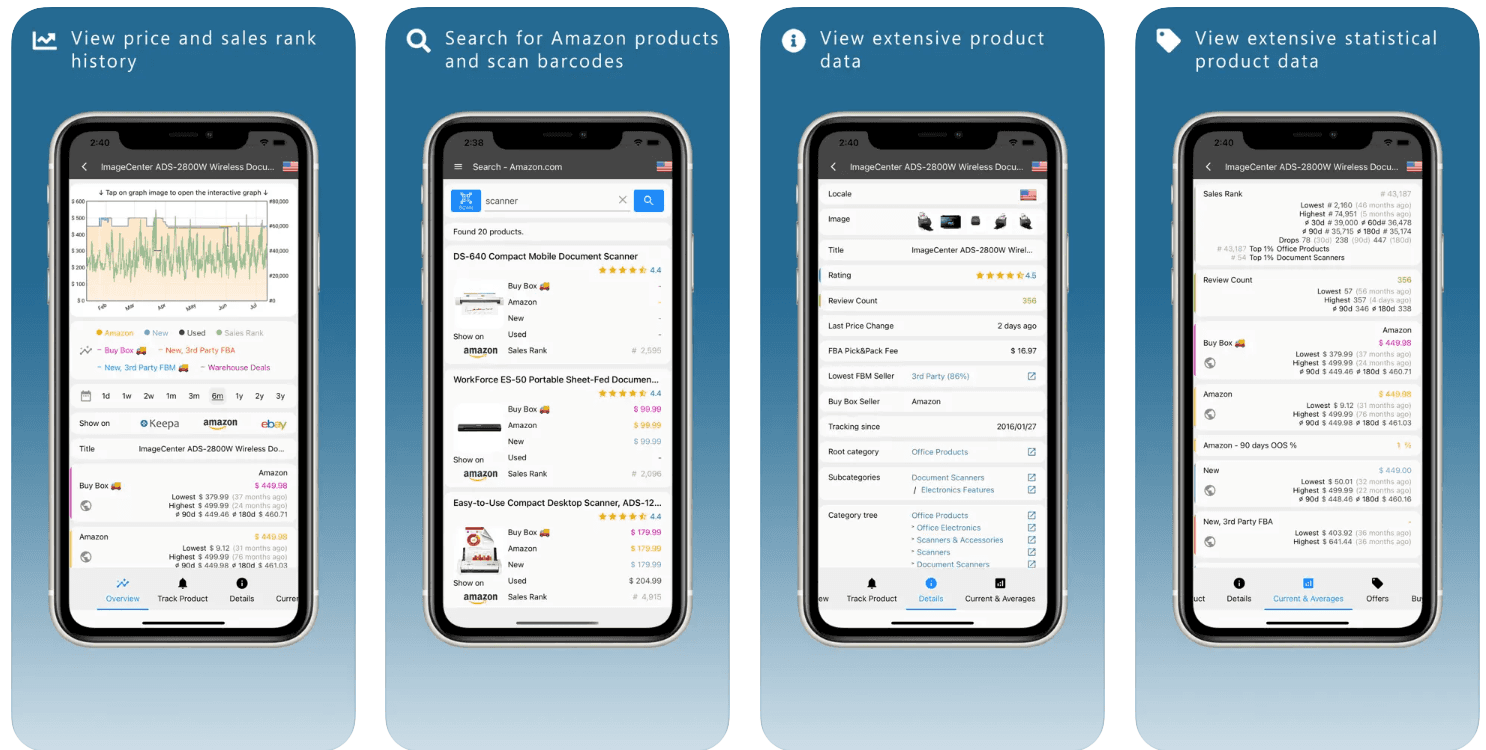
Another Amazon price tracker to make it onto our list, Keepa is the perfect tool for those who love to get their hands on as much data as possible.
The level of detail that Keepa’s browser extension and mobile app will give you access to is unparalleled.
Each product has its own handy dashboard where you can view in-depth stats, such as review numbers, ratings, when the price last changed, average price, and more.
Instead of searching for products one by one, you can even upload a list of ASINs (the 10-character reference number assigned to each product on Amazon) to the platform.
This will bring up detailed information on each of the products and create price watches for all your favorite items at once.
As well as saving you time, the additional benefit is that you can even monitor for different product variations – for instance, creating price watches for an item in a specific color, size, or style.
The only real problem is that all this data comes at a price. Although there’s a free version of this tool, it won’t allow you to access all the features that make Keepa great, like the interactive graphs or price increase alerts.
To get the full benefit of the tool, you’ll need to fork out on a pretty hefty monthly subscription – although if you use it regularly, we hope you’d still save a significant amount more than you’d spend!
“Keepa is awesome for price tracking and historical data—it’s all about those charts and trends.” – Reddit user
Available on
Mobile app (Android, iOS)
Browser extension (Firefox, Google Chrome, Opera, Microsoft Edge, Apple Safari)
Key features
Price history charts
Price drop alerts
Availability alerts
Compare and track international Amazon prices
Daily deals
Pros
View deals in favorite product categories
View in-depth data for each item
See price history charts for each item
Get price drop alerts when an item drops to a price you’ve set
Available in multiple countries and languages
Access from any device
Cons
Complex interface
Can’t search for specific products on the app (need to compile a list of ASINs)
Can be overwhelming for users who aren’t used to dealing with large quantities of data
Significant limitations on the free version
Pricing
Free version (limited features) / premium version $19 per month.
4. PriceSpy – Best for product comparisons
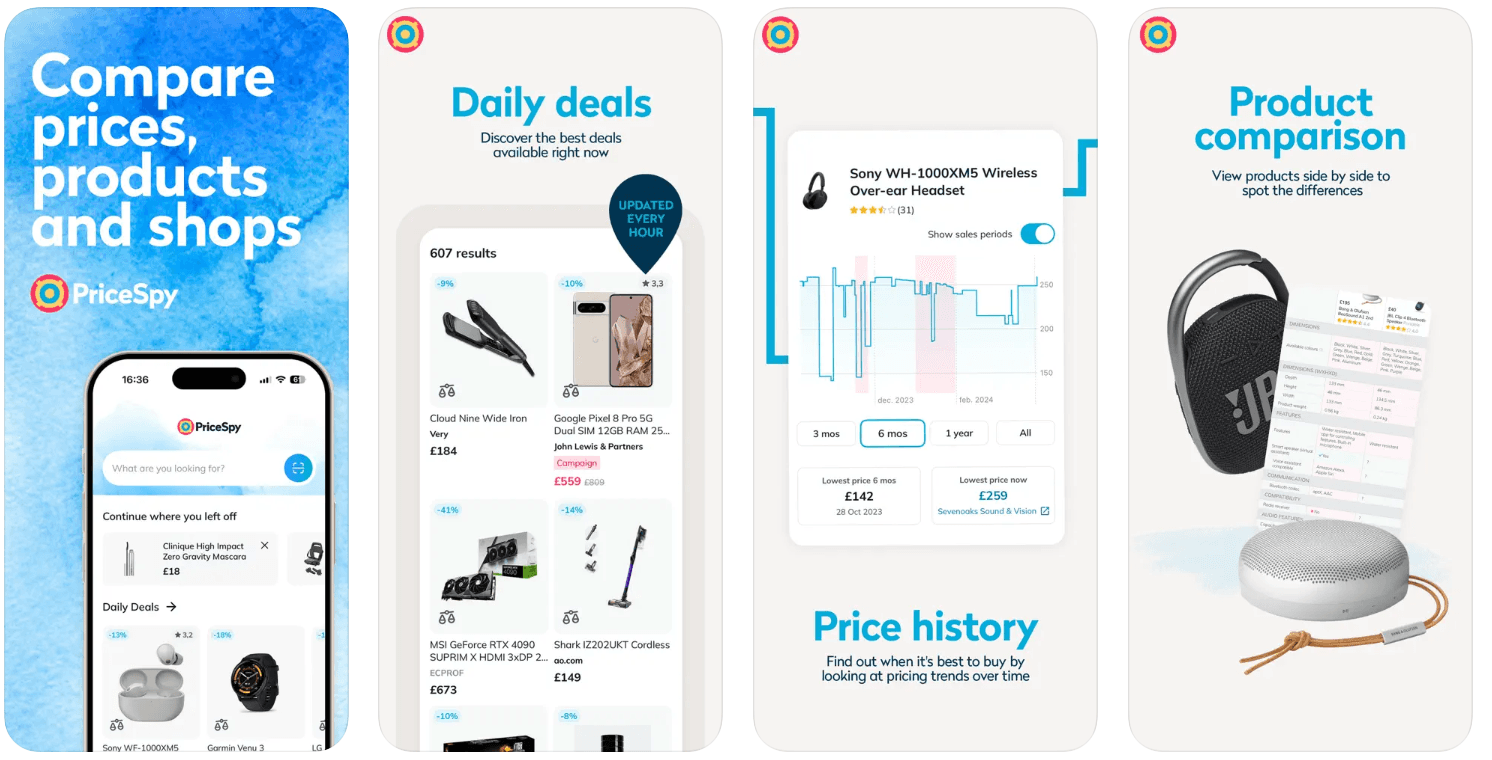
PriceSpy is another fantastic tool to have up your sleeve, especially if you’re looking for a more general price comparison app that can also track prices online.
Alongside price history charts and price drop alerts, this app and browser extension allows you to compare products (and prices) from over 6,100 shops.
After all, price fluctuations aren’t the only thing that can cause you to spend more on an item than you need to.
Rather, around half of all price variations come down to which shop you buy from (according to BI Business Review), as different retailers often sell the same item for different prices.
With PriceSpy, you can compare different retailers offering the same or similar items, to make sure you really are buying the product you need for as little as possible.
We love the way you can line up the specs side by side to make an informed purchasing decision.
Just be aware that PriceSpy won’t always pick up on every deal available. So, although it can help you to save money, it’s always worth cross-referencing it with another tool (or even a quick Google search) to check that the product isn’t clearly being sold for cheaper elsewhere.
“Legit but not necessarily reliable. I bought a smartwatch for my mum last week and Pricespy didn't pick up the special Noel Leeming had which made it the cheapest to buy from.” – Reddit user
Available on
Mobile app (Android, iOS)
Website
Key features
Price history
Price alerts
Product search
Product and price comparisons
Deals and promotions
Pros
Monitors hundreds of thousands of products
Search and compare products side by side to choose the right one
Compare Amazon prices to other stores
Easy to use
Cons
Can show irrelevant products
Sometimes misses good deals
Pricing
Free.
5. Honey – Best for coupons
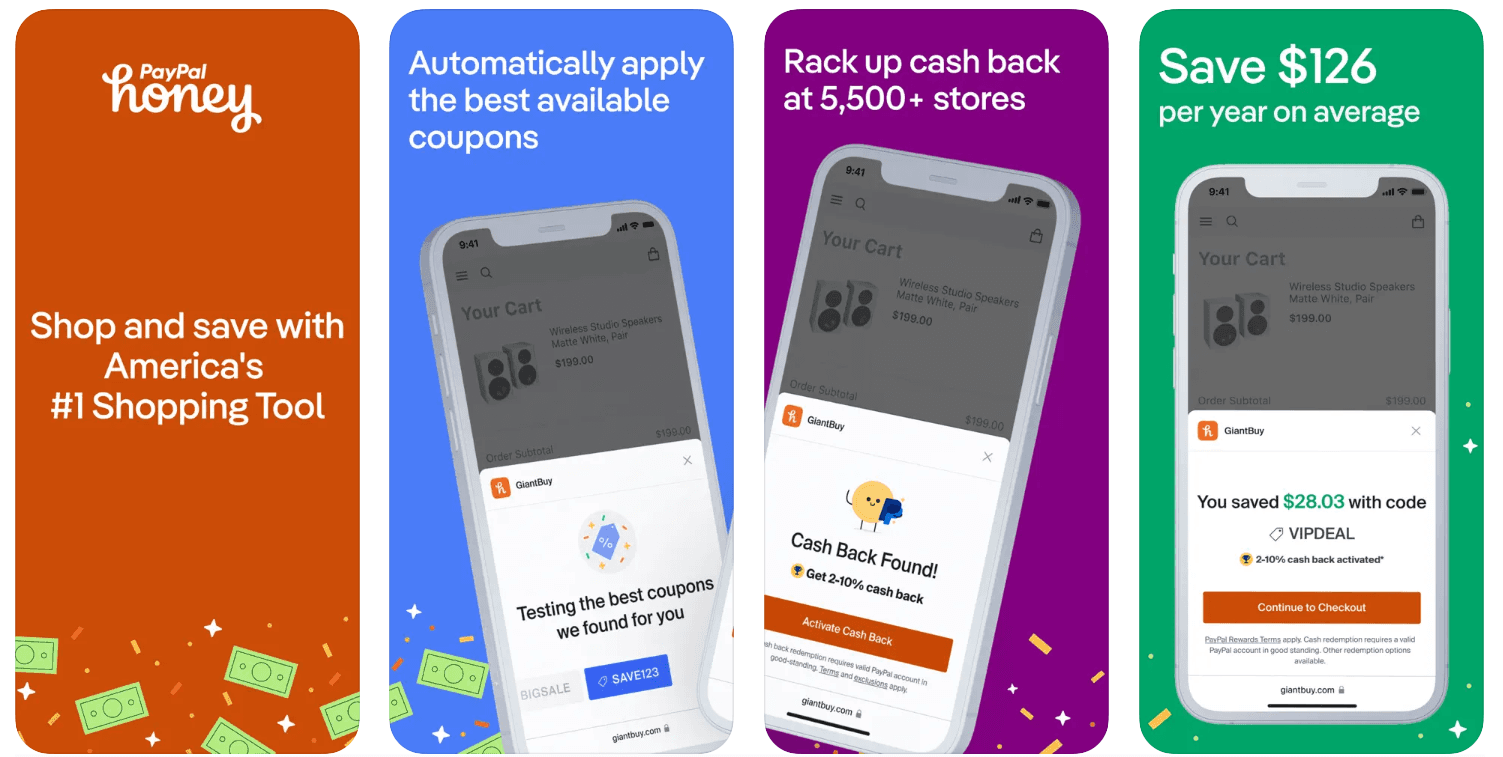
Last, but certainly not least, Honey is a browser extension and mobile app that can save you a significant amount of money when you’re shopping online.
Like the other tools we’ve covered, it’s a good option for price tracking. Essentially, you can save any items you’re not quite ready to buy to your droplist, so the app can notify you when the price drops.
Unfortunately, this isn’t a truly universal feature as it only works with participating stores. However, it’s a good extra to have.
Plus, if you regularly shop at Amazon, you’ll benefit from even more price tracking features, like price history charts and seller price comparisons, where the app searches for the seller with the lowest price, even factoring in shipping costs.
However, Honey is arguably best known for its coupons. If you have the app or browser extension, Honey will automatically look for discount codes when you’re shopping on selected sites, to help you find a deal.
With more than 30,000 sites included, it’s a great way to save money every day – whether you’re ordering pizza, doing a spot of retail therapy, or booking a holiday.
It’s worth being aware that Honey has had some bad press lately, as they’ve been allowing merchants to control which coupons are displayed (plus, they’ve been taking commission away from affiliates by reloading the web page when you click an affiliate link). But we still think it’s a good tool to have up your sleeve to save you from manually searching for coupons!
“If there’s a 20% coupon available, Honey will deliberately avoid using it if the brand prohibits excessive coupon usage. They’ll offer a 5% discount or inform you that there’s nothing available, even though a 20% coupon is still available.” – Reddit user
Available on
Mobile app (Android, iOS)
Browser extension (Chrome, Safari, Firefox, Microsoft Edge)
Key features
Price drop alerts
Amazon price history charts
Amazon seller comparison
Automatic coupon search
Pros
Cash back at 5,500+ stores
Compare sellers to find the best price
View price history for each item
Get price drop alerts when an item drops to a price you’ve set
Easy to use
Cons
May take commission
Price history charts only available on Amazon
Price drop alerts only available at participating stores
Might not always show you the best coupons available
Pricing
Free.
Pair your price tracking tool with Moonsift
Whatever price tracking tool you choose, pairing it with Moonsift can help you make even smarter purchasing decisions.
As a wishlist tool, Moonsift is all about helping you to collate everything you have your eye on in one easy-to-manage place.
That way, you can compare items and prices side by side, and save your favorites until they’ve dropped to a price you’re happy with.
Not only that, but we also have our own price tracking features to help. We’ll send you price drop alerts if an item you’ve saved goes down in price, and we’ll also show you how an item’s current price compares to the price it was at when you saved it.
In this way, you can be fully informed before you buy!
This universal tool is completely free, available on both mobile and desktop, and was even designed in conjunction with stylists and interior designers to make your shopping experience as aesthetically pleasing and seamless as possible.
How to use price tracking tools to maximize your savings: top tips
Online price tracking tools are fantastic, but at the end of the day, they are what you make them.
So, it pays to be savvy when you’re using tools to save money online.
Here are our top tips.
Use a combination of price tracking tools
First things first, there’s no reason to choose just one price tracking tool.
As you can see from our research, there are lots of different tools available, which all have different features as well as pros and cons.
By using a combination of two or more tools, you can cross-reference prices and gain additional features to help make sure you always end up with the best deal.
For instance, you could use Keepa for price history charts, data and daily deals. And then you could use Honey to check for coupons that could gain you an even bigger discount.
Combine price tracking tools with cashback
Combining a price tracking tool with a cashback app could help you to save even more money when you shop.
Examples include TopCashback and Quidco.
With cashback, you get a percentage of your purchase back as a reward. Exactly how this works can vary depending on the app. But usually, you can withdraw this reward as cash or use it to obtain money off your next purchase.
Sometimes, you can even get cashback when you’re shopping in-store as well as online.
Plan ahead with high-ticket items
When it comes to bigger purchases, it pays to plan ahead.
If you’re shopping for something you need last-minute, you won’t benefit from seasonal price drops or price fluctuations.
On the other hand, if you plan ahead, you can wait until the price drops to a figure you’re happy to pay, which can be especially lucrative when we’re talking about bigger-ticket items with higher price tags.
Luckily, a price tracker can ensure you won’t have to keep checking back manually, as you can get alerts when an item drops in price.
Think seasonally
Being conscious of seasonal price drops can also make a big difference when you’re making purchases online.
Retailers will often reduce prices on items that are less in demand during certain times of the year.
So, for instance, you’re more likely to get a good deal on summer clothing at the end of the season. Likewise, garden furniture and paddling pools are likely to drop in price as we head into autumn.
Price history charts can help you spot patterns like this on any items you’re interested in purchasing, so you can better predict exactly when a seasonal price drop is likely to occur.
Hold out for specific events
In a similar vein, make a note of annual shopping events and, if you can, wait for them to start before making any big purchases.
Examples include Black Friday and Amazon Prime Day.
While not all retailers will participate in these kinds of events (and not all products will necessarily be reduced), there’s a good chance that waiting will see you gain the item you have your eye on for less.
You can also check price history charts using online price tracing tools to see if an item went down in price the year before (for instance, on Black Friday last year). If it did, there’s a good chance it will do so again this time round!
Be mindful of shipping costs
When you’re comparing prices, you’ll usually be looking at the cost of the product itself.
But don’t forget to factor in shipping costs too!
Many price tracking tools won’t include shipping costs in their analysis, so it’s worth doing a quick check yourself to make sure you’re making your purchase for as little as possible.
If you’re making a purchase on Amazon, Honey can do the legwork for you!
Pair price tracking with loyalty schemes
If there’s a retailer you regularly shop with, check whether they have a loyalty program and consider joining it.
Often, retailers will reward repeat customers with exclusive discounts and offers.
Adding these to the discounts found for you by your online price tracking tool can make for the complete package!
Likewise, joining a store’s online newsletter is a great way to access coupons and discounts that aren’t widely shared.
Abandon your cart
It might sound counterintuitive to abandon your cart if there’s an item you’re planning to purchase.
But sometimes, if a retailer notices that you’ve left items unpurchased in your cart, they’ll send you an incentive to complete your purchase.
Just remember to save the item to your Moonsift collection too, so you don’t forget about it if the retailer doesn’t reach out to you with a discount.
Avoid impulse buying
Finally, avoid making impulse purchases.
Some of the price tracking apps we’ve talked about in this article feature daily or weekly deals.
The problem? It’s easy to get drawn into a good deal, even if you don’t really need the item, which can lead to you spending money unnecessarily!
Instead, keep a list of items you’re happy to spend money on, and only purchase a deal if it’s on your list.
Final thoughts
As you can see, tracking product prices online can help you to save a lot of money – both when it comes to big purchases and everyday essentials.
Better still, you don’t even have to do it manually.
Rather, there are lots of tools available that can help you track prices of items online, predict price drops, and even notify you of discounts.
When choosing the right tools for you, consider your shopping habits and how much time you’re happy to spend looking for the right deal. While some tools (like Keepa) are great for shoppers who love vast quantities of data, other tools (like Honey) will automate the whole process for you so you can be totally hands-off while saving money.
Ultimately though, there’s no need to choose just one tool.
By using a combination – and even pairing your chosen price trackers with cashback apps and loyalty programs – you can benefit from even more cost-saving intel and features.
On which note, don’t forget to try Moonsift.
As well as offering price drop alerts, our wishlist tool is the perfect place to save all the items you have your eye on until you’re ready to buy. And it’s 100% free!
There’s nothing worse than spending more on an item than you need to.
But with many retailers adjusting their prices on a regular (even daily!) basis, knowing when it’s the right time to press ‘buy’ can feel almost impossible.
Luckily, it doesn’t have to be this way.
In recent years, a plethora of online price trackers have cropped up to help consumers buy the best items at the best prices.
With features that can help users predict upcoming sales, spot price drops and find discounts, these tools have revolutionized the way millions of us shop every day.
At Moonsift, we’re all about helping our community make smart purchasing decisions, so we wanted to shed some light on these fantastic tools to help you save money every time you buy.
Read on to learn more about the basics of price tracking, how it works, and some of the best online price tracking tools you should try.
Online price tracking: the basics
If you’ve never tried online price tracking before, you might be wondering what it’s all about.
Essentially, price tracking is the process of monitoring the prices of a product or service, usually with the goal of finding the best deal.
Have you ever bought an item, only to see it being sold for less within your return window? Or waited to see whether a product goes down in price, only to see a price hike the very next day?
Online price tracking is about putting data in your hands to help you make the best purchasing decisions and buy when the time (and price) is right.
By looking at price history and patterns for an item you’re interested in, you can see where current prices sit to fully understand whether a deal really is as good as it sounds.
Plus, you can start to predict when an item might go down in price, so that you can benefit from an upcoming drop. For instance, if you know that an item usually drops in price on Black Friday, you can assume it will probably do the same this year.
Luckily, you don’t have to collect all this data manually. Instead, a real-time price tracking tool can do the heavy lifting for you and give you all the data you need to make an informed decision.
Which brings us onto…
How do online price trackers work?
An online price tracker will automatically track prices for you so that you don’t have to do the work manually.
In this way, it can save you time, save you money, and help you to make informed purchasing decisions that you won’t regret.
Price tracking tools come in lots of different shapes and sizes, from browser extensions to websites and mobile apps. As such, they boast a range of features.
Some that we found to be the most helpful in our research include:
Price history charts so you can spot patterns and pricing trends
Price drop alerts to notify you when the price reaches a figure you’re happy to pay
Wishlists or favorites so that you can get notifications for your favorite items
Product comparisons so you can compare prices and specs for similar items
Highlighted deals so you can stay informed about new bargains
Coupon finder so you can get extra discounts on items you’re buying
While you may find some features more useful than others depending on your shopping habits, all online price trackers share a common goal: to help you buy the items you need for less.
The 5 best online price tracking tools
We’ve carried out a ton of research into the best price tracking tools so that you don’t have to. Here’s our pick of the best.
1. Price.com – Best for cashback
Price.com has to be one of our favorite money-saving tools.
When it comes to price tracking, it has price history charts for each item that you can use to monitor fluctuations over time.
You can also set up price alerts so that you’re notified when the price of an item drops to a figure that you’re comfortable with.
And some items even have price insights to give you extra information about pricing trends. For instance, you can see whether the current price is low, typical, or high compared to historical data.
But it’s the additional money-saving features that really make this app and browser extension a cut above the rest.
As well as helping you to uncover coupons for more than 100,000 stores, it even allows you to earn while shopping (both in-store and online!) thanks to its cashback feature.
You can get cashback on purchases ranging from fashion and everyday essentials to dining and hotels, making this platform a valuable part of your money-saving toolkit!
Just be aware that it can take a long time to receive your cash and this process isn’t always the easiest experience – but considering it’s the only app that offers cashback for many stores, we think it’s worth a few niggles!
“Everytime I ask for a cashout manually to pushed to my PayPal account they take 3-4 weeks to process it with continuous reminders. (4-5 emails)
“If you are looking for an easy cashout they aren’t the best experience.” – Reddit user
Available on
Mobile app (Android, iOS)
Website
Browser extension (Chrome)
Key features
Price history
Price alerts
Price insights
Cash back
Coupons
Barcode scanning
Image search
Link your Visa, MasterCard, or American Express card for in-person purchases
Pros
View in-depth price history for each item
Get price drop alerts when an item drops to a price you’ve set
Earn while you shop
Compare prices for over 100,000+ stores
Get cash back at local stores and restaurants
Find offers near you
Easy to use
Access from any device
Cons
Not fully universal (not every store participates)
Cashout is slow
Pricing
Free to download / $9.99 per month for Price.com Pro.
2. CamelCamelCamel – Best for Amazon price tracking
CamelCamelCamel is an Amazon price tracker, meaning it’s focused solely on helping users to track the prices of Amazon products.
However, if you do a lot of shopping on Amazon, this browser extension is one you should certainly have up your sleeve.
This free browser extension monitors the price of millions of Amazon products and will provide you with a price history chart for each item, along with its average list price.
In this way, it’s a fantastic tool for seeing where current prices sit and spotting pricing patterns that can help you predict an upcoming sale.
Plus, price drop alerts will mean you’ll get notified if an item you like drops in price, saving you from having to check back manually every day.
As well as these price tracking features, CamelCamelCamel is a handy way to uncover a bargain, as the tool will spotlight deals, popular products that are being purchased by other users, and even the most recent products to see big price drops.
The downside? If you don’t have much self-restraint, you might end up coming away with more than you bargained for!
It’s also worth noting that you may come across deals on CamelCamelCamel that aren’t necessarily from trusted sellers. So, always do your due diligence before spending your hard-earned cash.
“I received an e-mail when the games hit the price I entered (a price that wasn't obscenely low for two separate games that are several years old) and I immediately placed my order.
“However, I didn't realize that offering was from a brand new third-party seller/scammer. These sellers take forever to move on the product, then send you a fake tracking number (that constantly claims the item has "shipped" and is in "transit from seller to the carrier"). They give you an obscenely far off delivery date and, since the item has "shipped", they've taken your money and you can't just cancel your order.” – Reddit user
Available on
Website
Browser extension (Chrome, Microsoft Edge, Mozilla Firefox, Opera, Apple Safari)
Key features
Price history charts
Price drop alerts
Highlighted deals
Pros
View deals in categories you frequently track products in
View deals by daily, weekly, and most recent
See what other CamelCamelCamel users have been purchasing
View in-depth price history for each item
Get price drop alerts when an item drops to a price you’ve set
Available in multiple countries and languages
Easy to use
Access from any device
Cons
Highlighted deals won’t always be from trusted sellers
Deals may only apply for a specific color or version of an item you want
Only tracks Amazon (you may still be able to find the item for cheaper elsewhere)
Pricing
Free.
3. Keepa – Best for in-depth analysis
Another Amazon price tracker to make it onto our list, Keepa is the perfect tool for those who love to get their hands on as much data as possible.
The level of detail that Keepa’s browser extension and mobile app will give you access to is unparalleled.
Each product has its own handy dashboard where you can view in-depth stats, such as review numbers, ratings, when the price last changed, average price, and more.
Instead of searching for products one by one, you can even upload a list of ASINs (the 10-character reference number assigned to each product on Amazon) to the platform.
This will bring up detailed information on each of the products and create price watches for all your favorite items at once.
As well as saving you time, the additional benefit is that you can even monitor for different product variations – for instance, creating price watches for an item in a specific color, size, or style.
The only real problem is that all this data comes at a price. Although there’s a free version of this tool, it won’t allow you to access all the features that make Keepa great, like the interactive graphs or price increase alerts.
To get the full benefit of the tool, you’ll need to fork out on a pretty hefty monthly subscription – although if you use it regularly, we hope you’d still save a significant amount more than you’d spend!
“Keepa is awesome for price tracking and historical data—it’s all about those charts and trends.” – Reddit user
Available on
Mobile app (Android, iOS)
Browser extension (Firefox, Google Chrome, Opera, Microsoft Edge, Apple Safari)
Key features
Price history charts
Price drop alerts
Availability alerts
Compare and track international Amazon prices
Daily deals
Pros
View deals in favorite product categories
View in-depth data for each item
See price history charts for each item
Get price drop alerts when an item drops to a price you’ve set
Available in multiple countries and languages
Access from any device
Cons
Complex interface
Can’t search for specific products on the app (need to compile a list of ASINs)
Can be overwhelming for users who aren’t used to dealing with large quantities of data
Significant limitations on the free version
Pricing
Free version (limited features) / premium version $19 per month.
4. PriceSpy – Best for product comparisons
PriceSpy is another fantastic tool to have up your sleeve, especially if you’re looking for a more general price comparison app that can also track prices online.
Alongside price history charts and price drop alerts, this app and browser extension allows you to compare products (and prices) from over 6,100 shops.
After all, price fluctuations aren’t the only thing that can cause you to spend more on an item than you need to.
Rather, around half of all price variations come down to which shop you buy from (according to BI Business Review), as different retailers often sell the same item for different prices.
With PriceSpy, you can compare different retailers offering the same or similar items, to make sure you really are buying the product you need for as little as possible.
We love the way you can line up the specs side by side to make an informed purchasing decision.
Just be aware that PriceSpy won’t always pick up on every deal available. So, although it can help you to save money, it’s always worth cross-referencing it with another tool (or even a quick Google search) to check that the product isn’t clearly being sold for cheaper elsewhere.
“Legit but not necessarily reliable. I bought a smartwatch for my mum last week and Pricespy didn't pick up the special Noel Leeming had which made it the cheapest to buy from.” – Reddit user
Available on
Mobile app (Android, iOS)
Website
Key features
Price history
Price alerts
Product search
Product and price comparisons
Deals and promotions
Pros
Monitors hundreds of thousands of products
Search and compare products side by side to choose the right one
Compare Amazon prices to other stores
Easy to use
Cons
Can show irrelevant products
Sometimes misses good deals
Pricing
Free.
5. Honey – Best for coupons
Last, but certainly not least, Honey is a browser extension and mobile app that can save you a significant amount of money when you’re shopping online.
Like the other tools we’ve covered, it’s a good option for price tracking. Essentially, you can save any items you’re not quite ready to buy to your droplist, so the app can notify you when the price drops.
Unfortunately, this isn’t a truly universal feature as it only works with participating stores. However, it’s a good extra to have.
Plus, if you regularly shop at Amazon, you’ll benefit from even more price tracking features, like price history charts and seller price comparisons, where the app searches for the seller with the lowest price, even factoring in shipping costs.
However, Honey is arguably best known for its coupons. If you have the app or browser extension, Honey will automatically look for discount codes when you’re shopping on selected sites, to help you find a deal.
With more than 30,000 sites included, it’s a great way to save money every day – whether you’re ordering pizza, doing a spot of retail therapy, or booking a holiday.
It’s worth being aware that Honey has had some bad press lately, as they’ve been allowing merchants to control which coupons are displayed (plus, they’ve been taking commission away from affiliates by reloading the web page when you click an affiliate link). But we still think it’s a good tool to have up your sleeve to save you from manually searching for coupons!
“If there’s a 20% coupon available, Honey will deliberately avoid using it if the brand prohibits excessive coupon usage. They’ll offer a 5% discount or inform you that there’s nothing available, even though a 20% coupon is still available.” – Reddit user
Available on
Mobile app (Android, iOS)
Browser extension (Chrome, Safari, Firefox, Microsoft Edge)
Key features
Price drop alerts
Amazon price history charts
Amazon seller comparison
Automatic coupon search
Pros
Cash back at 5,500+ stores
Compare sellers to find the best price
View price history for each item
Get price drop alerts when an item drops to a price you’ve set
Easy to use
Cons
May take commission
Price history charts only available on Amazon
Price drop alerts only available at participating stores
Might not always show you the best coupons available
Pricing
Free.
Pair your price tracking tool with Moonsift
Whatever price tracking tool you choose, pairing it with Moonsift can help you make even smarter purchasing decisions.
As a wishlist tool, Moonsift is all about helping you to collate everything you have your eye on in one easy-to-manage place.
That way, you can compare items and prices side by side, and save your favorites until they’ve dropped to a price you’re happy with.
Not only that, but we also have our own price tracking features to help. We’ll send you price drop alerts if an item you’ve saved goes down in price, and we’ll also show you how an item’s current price compares to the price it was at when you saved it.
In this way, you can be fully informed before you buy!
This universal tool is completely free, available on both mobile and desktop, and was even designed in conjunction with stylists and interior designers to make your shopping experience as aesthetically pleasing and seamless as possible.
How to use price tracking tools to maximize your savings: top tips
Online price tracking tools are fantastic, but at the end of the day, they are what you make them.
So, it pays to be savvy when you’re using tools to save money online.
Here are our top tips.
Use a combination of price tracking tools
First things first, there’s no reason to choose just one price tracking tool.
As you can see from our research, there are lots of different tools available, which all have different features as well as pros and cons.
By using a combination of two or more tools, you can cross-reference prices and gain additional features to help make sure you always end up with the best deal.
For instance, you could use Keepa for price history charts, data and daily deals. And then you could use Honey to check for coupons that could gain you an even bigger discount.
Combine price tracking tools with cashback
Combining a price tracking tool with a cashback app could help you to save even more money when you shop.
Examples include TopCashback and Quidco.
With cashback, you get a percentage of your purchase back as a reward. Exactly how this works can vary depending on the app. But usually, you can withdraw this reward as cash or use it to obtain money off your next purchase.
Sometimes, you can even get cashback when you’re shopping in-store as well as online.
Plan ahead with high-ticket items
When it comes to bigger purchases, it pays to plan ahead.
If you’re shopping for something you need last-minute, you won’t benefit from seasonal price drops or price fluctuations.
On the other hand, if you plan ahead, you can wait until the price drops to a figure you’re happy to pay, which can be especially lucrative when we’re talking about bigger-ticket items with higher price tags.
Luckily, a price tracker can ensure you won’t have to keep checking back manually, as you can get alerts when an item drops in price.
Think seasonally
Being conscious of seasonal price drops can also make a big difference when you’re making purchases online.
Retailers will often reduce prices on items that are less in demand during certain times of the year.
So, for instance, you’re more likely to get a good deal on summer clothing at the end of the season. Likewise, garden furniture and paddling pools are likely to drop in price as we head into autumn.
Price history charts can help you spot patterns like this on any items you’re interested in purchasing, so you can better predict exactly when a seasonal price drop is likely to occur.
Hold out for specific events
In a similar vein, make a note of annual shopping events and, if you can, wait for them to start before making any big purchases.
Examples include Black Friday and Amazon Prime Day.
While not all retailers will participate in these kinds of events (and not all products will necessarily be reduced), there’s a good chance that waiting will see you gain the item you have your eye on for less.
You can also check price history charts using online price tracing tools to see if an item went down in price the year before (for instance, on Black Friday last year). If it did, there’s a good chance it will do so again this time round!
Be mindful of shipping costs
When you’re comparing prices, you’ll usually be looking at the cost of the product itself.
But don’t forget to factor in shipping costs too!
Many price tracking tools won’t include shipping costs in their analysis, so it’s worth doing a quick check yourself to make sure you’re making your purchase for as little as possible.
If you’re making a purchase on Amazon, Honey can do the legwork for you!
Pair price tracking with loyalty schemes
If there’s a retailer you regularly shop with, check whether they have a loyalty program and consider joining it.
Often, retailers will reward repeat customers with exclusive discounts and offers.
Adding these to the discounts found for you by your online price tracking tool can make for the complete package!
Likewise, joining a store’s online newsletter is a great way to access coupons and discounts that aren’t widely shared.
Abandon your cart
It might sound counterintuitive to abandon your cart if there’s an item you’re planning to purchase.
But sometimes, if a retailer notices that you’ve left items unpurchased in your cart, they’ll send you an incentive to complete your purchase.
Just remember to save the item to your Moonsift collection too, so you don’t forget about it if the retailer doesn’t reach out to you with a discount.
Avoid impulse buying
Finally, avoid making impulse purchases.
Some of the price tracking apps we’ve talked about in this article feature daily or weekly deals.
The problem? It’s easy to get drawn into a good deal, even if you don’t really need the item, which can lead to you spending money unnecessarily!
Instead, keep a list of items you’re happy to spend money on, and only purchase a deal if it’s on your list.
Final thoughts
As you can see, tracking product prices online can help you to save a lot of money – both when it comes to big purchases and everyday essentials.
Better still, you don’t even have to do it manually.
Rather, there are lots of tools available that can help you track prices of items online, predict price drops, and even notify you of discounts.
When choosing the right tools for you, consider your shopping habits and how much time you’re happy to spend looking for the right deal. While some tools (like Keepa) are great for shoppers who love vast quantities of data, other tools (like Honey) will automate the whole process for you so you can be totally hands-off while saving money.
Ultimately though, there’s no need to choose just one tool.
By using a combination – and even pairing your chosen price trackers with cashback apps and loyalty programs – you can benefit from even more cost-saving intel and features.
On which note, don’t forget to try Moonsift.
As well as offering price drop alerts, our wishlist tool is the perfect place to save all the items you have your eye on until you’re ready to buy. And it’s 100% free!